


General
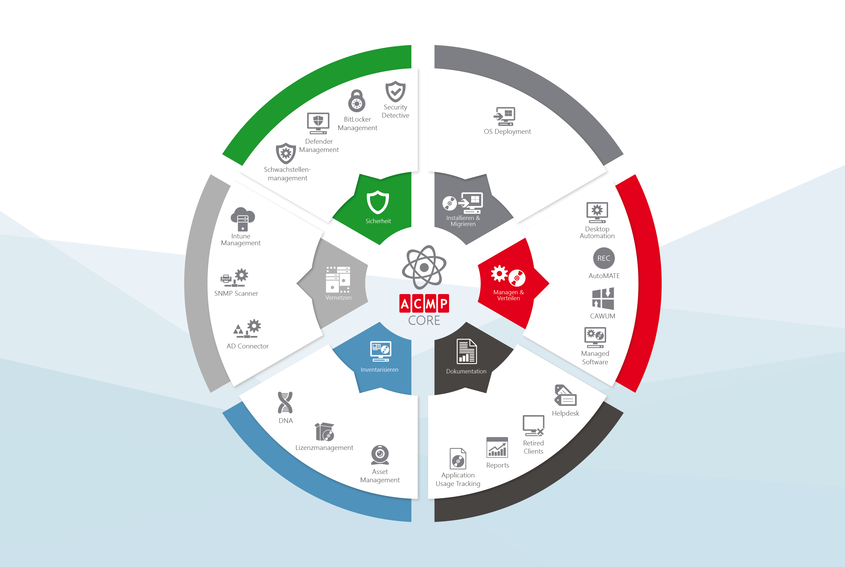
ACMP 6.4.0 includes our new module "BitLocker Management", which allows you to centrally manage the encryption of operating system and hard disk drives. The update also includes many bug fixes and performance improvements as well as other new features. As always, you can get a complete overview in the changelog.
ACMP BitLocker Management
With "BitLocker Management" you have an overview of the encryption status of your Windows systems at any time. Configuration profiles allow you to define different settings for different systems. In the usual ACMP manner, the configuration profiles can be applied to the clients via push or via container.
Furthermore you enjoy the following advantages with "BitLocker Management":
- Freely configure system startup PINs and associated policies
- Specify encryption method according to your own preferences
- Freely select operating system and hard disk drives to be encrypted
- Evaluate BitLocker scan data in queries and reports
- Encryption details for each encrypted client in Client Details
- View recovery passwords on demand to remedy forgotten PINs (requires appropriate ACMP user permission)
"BitLocker Management" can, as always, be tested free of charge and subsequently licensed based on the number of clients. Please contact your sales contact for this.
ACMP Server Monitor
Our ACMP monitors have been extended by a server monitor. This allows you to better understand running and scheduled ACMP server jobs and to detect and react to performance bottlenecks more quickly.
ACMP Console
To improve clarity, the navigation tree has been restructured and regrouped based on modules and functionalities.
In addition, you can now view your customer number under System/Info and have all important information in one place for support requests and license purchases.
Master data
It is now possible to link documents with contacts. This is another feature requested by our customers.
Client Commands
In client command components with 64-bit option, this option is now enabled by default. This change only affects new client commands, existing client commands remain unchanged. In addition, control and logging for NT services have been improved.
If errors occur during the control (e.g. when terminating) of NT services that are due to interdependencies between the services, these dependencies are now logged accordingly in the client command logs.
AD Integration/Client Commands
The dialog for creating LDAP queries has been improved. This avoids errors where queries are executed with the Windows user logged in despite changed credentials.
Furthermore, the dialog for creating an AD query has been optimized and redundant fields have been removed.
ACMP OS Deployment
From now on, Agent Tasks can also be used in Job Collections. This means that scans can already be executed during the rollout. The use of this data then extends the possibilities of subsequent client commands in the job collection.
ACMP OS Deployment now also supports Windows 10 22H2 and Windows 11 22H2.
ACMP Managed Software (MSW) & CAWUM
For easier navigation, it is now possible to go directly from an MSW or CAWUM sync profile to the associated MSW package or update item by double-clicking or using the context menu.
ACMP Defender Management
In the past, there were problems with inefficient CPU usage during scheduled Defender scans. After extensive adjustments we were able to solve this problem.
For this purpose, the menu item "Scheduled System Scan" has been added in the configuration profile settings under the item "Scan Settings". If the use of the CPU load limitation option is desired, this must be configured accordingly after the update.
This new setting is therefore not only a bugfix, but also adds a valuable feature to our ACMP Defender Management.
Reports
We were able to meet a frequently expressed request and significantly expand the output formats of our manual and scheduled reports (in the email attachment). The following formats are now available:
Hypertext Markup Language (HTML), Portable Document Format (PDF), Extensible Markup Language (XML), Excel (XLSX), Word (DOCX), PowerPoint (PPTX), OpenDocument Table Document (ODS), OpenDocument Text (ODT), Rich Text (RTF), Text (TXT), Comma-Separated Values (CSV).
Mail Service
The Mail Service can now process incoming and outgoing encrypted e-mails as well as digital signatures (S/MIME).
System Scanner
Our hardware scanners have been extensively updated to detect the latest hardware.
OpenSSL
OpenSSL has been updated to the latest version 1.1.1s.
Components to be updated
The Helpdesk web interface needs to be updated if you have this component in use.