
amcp 6.10: Top-Notch Update Management and Compliance Support
aagon is expanding its UEM solution to include automated data deletion, intelligent update management, and selective Intune import.
Soest, June 1, 2026: Soest-based software company Aagon has released ACMP 6.10, the latest version of its UEM solution, once again setting new standards in IT security, usability, and automation. The release addresses both current regulatory requirements and customer needs, offering numerous improvements for the efficient management of modern IT infrastructures.
acmp 6.10 focuses on the consistent further development of core functions and the integration of new features that help companies meet compliance requirements and optimize their IT processes.
Secure Data Deletion as a Response to Increasing Compliance Requirements
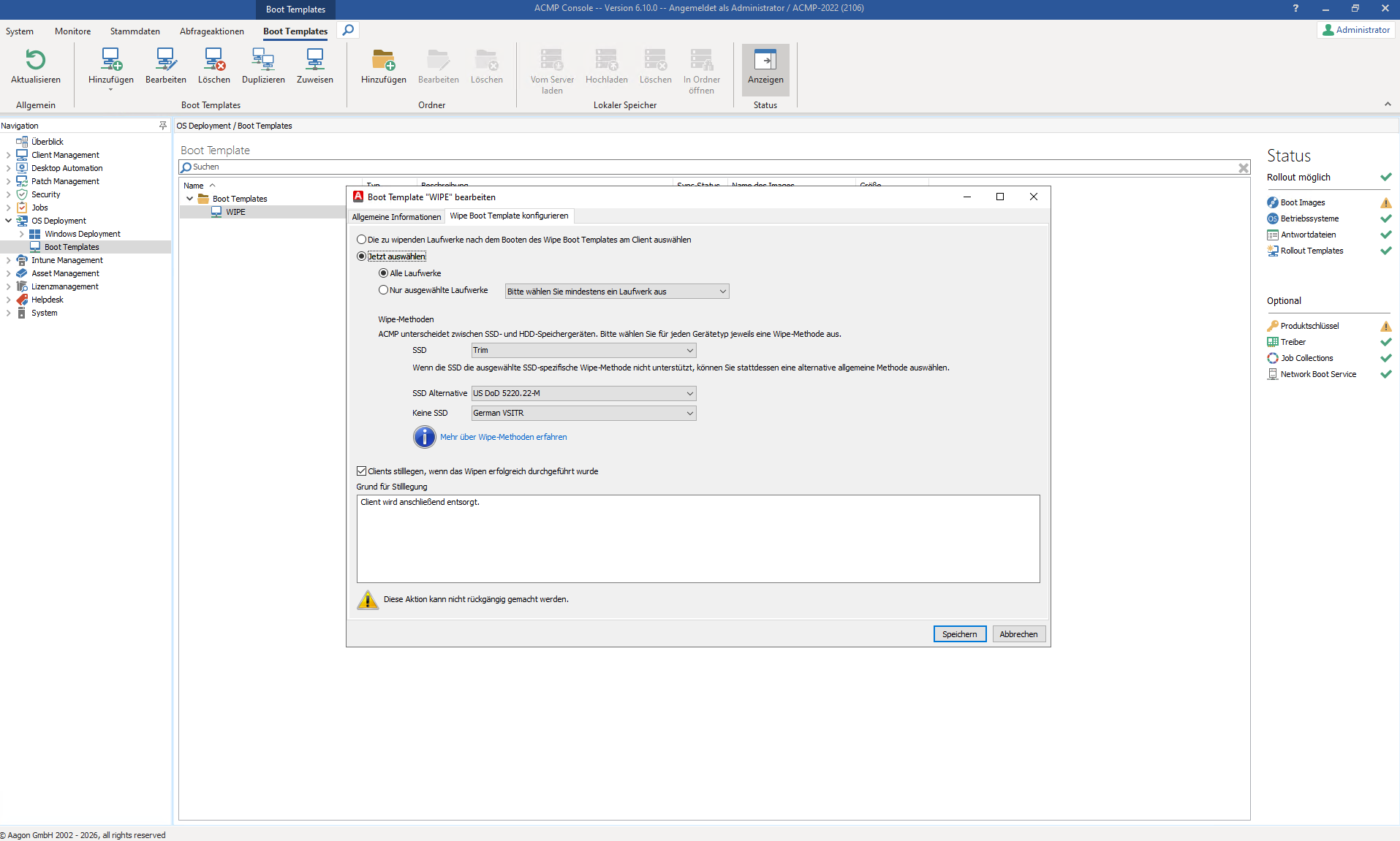
A key highlight of the new version is the integrated, automated solution for secure data erasure on end devices. This is driven by stricter legal requirements such as the EU Cyber Resilience Act, ISO 27001, and the NIS 2 Directive, which require companies to completely and permanently delete sensitive data when replacing or disposing of IT devices.
acmp 6.10 offers a bootable data erasure solution that automates the entire process and eliminates potential sources of error. This allows companies to ensure compliance with all legal requirements while guaranteeing the highest level of data security.
Windows Update Management (WUM) provides greater control and transparency
With acmp 6.10, the module previously known as CAWUM—now called Windows Update Management (WUM)—also receives comprehensive updates. The goal is to make update processes even more flexible, transparent, and user-friendly.
Among the most important improvements are:
- Direct provision of update collections in the Kiosk, allowing users to install updates on their own
- Flexible restart control, including a restart dialog that can be moved multiple times
- Advanced filtering and approval processes that enable precise control over updates
- Optimized synchronization profiles that keep updates current automatically, without the need for manual adjustments
- Additional analysis and reporting features that enable a more in-depth evaluation of update statuses and error causes
In addition, new logging and monitoring features provide significantly better traceability of update processes. Troubleshooting capabilities have also been enhanced on both the client and server sides, enabling faster identification and resolution of issues.
Optimized Intune Integration Through Selective Import
Another key focus is on improving acmp Intune management. acmp 6.10 introduces, for the first time, the ability to selectively import clients, users, groups, and applications. Whereas previously all objects were automatically imported, IT administrators can now specifically determine which data should be integrated into the acmp console. This provides significantly greater clarity, particularly in large or hybrid environments, and considerably reduces the complexity of device management.
Improved Usability for More Efficient IT Processes
In addition to functional enhancements, aagon places great emphasis on optimized user guidance. Numerous UI and UX improvements make administrators’ daily work easier and help further automate routine tasks. These include:
- Configurable Restart Dialogs
- Advanced filtering options in various modules
- Improved Display and Differentiation of Client Status
- Simplified management through smarter automation and synchronization mechanisms
Forward-Looking Client Management
With version 6.10, aagon is firmly committed to a combination of security, automation, and user-friendliness. The new features not only help companies comply with regulatory requirements but also contribute to making IT processes more efficient and transparent.
acmp 6.10 is now available. For more information on the current version, see the Feature Tour.