
OS Deployment -
Deploy operating systems securely, automatically and flexibly
- Distribute Windows automatically in the network
- Individually definable rollout templates
- BIOS, UEFI and secure boot support
The automated distribution of Windows operating systems has never been easier than with OS Deployment. With the help of numerous useful features such as the driver scanner, Windows can be rolled out quickly and easily for any number of computers - and is then immediately ready for use in the desired configuration. IT admins benefit from OS Deployment:
- Fully automated provision of new operating systems
- Full UEFI and secure boot support
- Individual rollout templates for different configurations
Standardized and automated Windows deployment
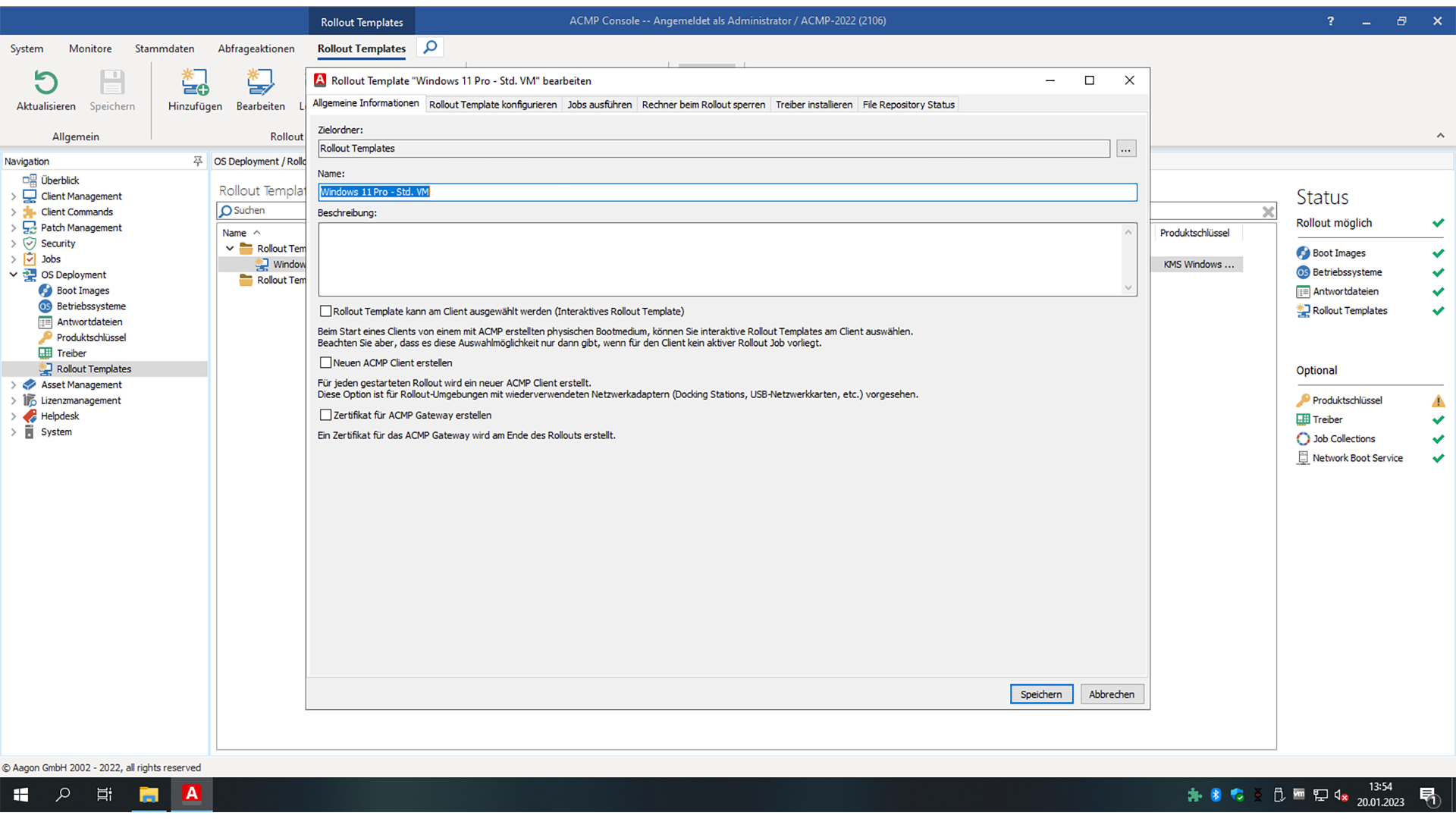
With our OS Deployment, Windows installations can be carried out reliably and reproducibly. Rollout templates define all the necessary components for the installation - including partitioning, network settings, software distribution and post-configuration.
UEFI and secure boot support ensure that deployments run smoothly even in hardened environments.
The most important features at a glance

Automatic roll-out:
Consistent, fully automated Windows deployments

Flexible options:
Individual rollout templates for different device configurations

Advanced customization:
Only a WAIK (WADK) is required on the admin PC - no WDS server

Ready to use:
Systems ready for immediate use after rollout
Integrated driver management
Various functions are available for efficient driver handling to ensure that newly installed systems receive all the drivers they need. The driver scanner automatically recognizes required drivers, while the acmp driver wizard can also read these from existing systems and conveniently provide them as a package.
This creates a clean, standardized system without unwanted additional software - right from the first start.
Manage response files centrally
All response files relevant to the installation process (e.g. partitioning, region settings, domain joining) are managed centrally and assigned securely. This means that rollouts remain traceable and flexibly adaptable.
Central Windows license management
Windows license keys are stored in acmp and automatically assigned and documented during deployments. Standardized KMS keys enable flexible conversions between KMS, MAK and single-user versions.
Automation via job collection
Routine tasks can be integrated directly into the deployment process. With Job Collections, you can distribute software, certificates or configurations automatically - and combine several steps into a consistent rollout process.
Boot templates - flexible start environments for deployment, diagnostics and lifecycle processes
Boot templates extend OS deployment with flexible boot and emergency options. Systems can be started independently of the installed operating system - ideal for maintenance, wipe or diagnostic processes and for use in security-critical IT environments.
WinPE-based boot images for controlled wipe processes
WinPE boot images enable complete, controlled deletion of end devices using DiskPart.
This is particularly useful before decommissioning or reusing hardware and supports consistent implementation of endpoint lifecycle management.
Examples of use:
- Secure deletion before hardware retirement
- Reconditioning of devices
- Preparatory maintenance or clean-up tasks
Unix-based boot images via PXE
Unix-based boot images can be loaded and started via PXE. Depending on the desired scenario, additional components can be provided via a separate infrastructure.
Typical application scenarios:
- Unix live systems for analysis and diagnostics
- Recovery tools for system repairs
- forensic investigation environments
- Specialized wipe or security systems
Product insight
References
What our customers say



acmp Editions
Our product portfolio provides a structured overview of our versatile UEM solution acmp, consisting of different editions and supplementary add-ons. This allows us to flexibly cover your individual requirements and provide scalable solutions for various application scenarios.
Starter
Transparenz über Ihre
IT-Landschaft
Beinhaltet folgende Funktionen:
- Inventarisierung und Reporting
- Konnektivität und Sicherheit nativ integriert
- Betriebskontinuität – durch steuerbare Systemverfügbarkeit
- Granulare Test- & Freigabeprozesse
- Zentrales Microsoft & Windows Update Management
- Drittanbieter Kataloge für Treiber
Advanced
Bringen Sie
Dynamik in Ihre IT
Starter Edition, plus:
- Zentrale Softwarepaketierung und Verteilung
- Automatisierungsplatform für den IT-Alltag
- Unix-Skriptverwaltung zur breiten Systemabdeckung
Professional
Maximale Stabilität
für Ihre Infrastruktur
Advanced Edition, plus:
- Automatisches 3rd Party Patchmanagement
- Zuverlässig geprüfte Installationsressourcen
- IT-Ressourcen optimierende Bereitstellung
Expert
Vollständiges Unified
Endpoint Lifecycle Management
Professional Edition, plus:
- Zeiteffizientes OS-Deployment
- Granular und reproduzierbare Betriebssystemeinrichtung
- Betriebssystem unabhängiges Lifecyclemanagement
Asset Management Add-on
- Vollständige Übersicht über Hardware-Assets
- Unterstützung bei Budgetplanung
- Lizenzierung nur für verwaltete Endpunkte
- Verknüpfung technischer Inventardaten mit kaufmännischen Informationen
- Einheitliche Datenbasis für Reporting und Audits
- Nachvollziehbarkeit von Gerätezuordnungen
- App inkl. QR Code Scanner für mobilen Zugriff
-
Überwachung und Durchsetzung von BitLocker-Verschlüsselung
-
Verwaltung und Standardisierung der Microsoft Defender Antivirus-Konfiguration
- Identifikation und Behebung von Schwachstellen
- Reduzierung von Angriffsflächen durch automatisierte Sicherheitsrichtlinien
- Erhöhte Compliance bei regulatorischen Anforderungen
- Integration in Automatisierungsprozesse für effizientere Sicherheitsmaßnahmen
-
Transparenz über Lizenznutzung und-verteilung
-
Reduzierung von Compliance-Risiken durch genaue Lizenzkontrolle
-
Optimierung von Lizenzkosten durch gezielte Analysen
-
Präzise Lizenzmodelle durch Verknüpfung von Inventardaten mit DNA
-
Automatisierte Bereinigung von Über-oder Unterlizenzierungen
-
Unterstützung bei strategischer Lizenzplanung und Audit-Vorbereitung
-
Zentrale Anlaufstelle für Anwenderanfragen und Störungen
-
Schnellere Bearbeitung von Incidents und Requests
-
Transparenz über Tickets, Bearbeitungsstände und Verantwortlichkeiten
-
Benutzer-Self-Service für Standardanfragen
-
Automatisierte Lösungen durch Integration mit Desktop Automation
-
Dokumentation und Nachvollziehbarkeit aller IT-Vorgänge
-
Zentrale Sicht auf On-Prem-und Cloud-Clients
-
Einheitliche Betriebsprozesse über alle Geräte hinweg
-
Vermeidung von Tool-Silos durch Integration in acmp
-
Ergänzung von Intune um detaillierte Inventar-und Automatisierungsfunktionen
-
Einheitliches Reporting über alle Endgeräte
-
Effiziente Verwaltung hybrider von UEM-Mehrwerten
Would you like to find out how we can improve your everyday IT life with our solution? Then register for the appropriate events and get to know us better.
FAQ
Can I also distribute images with OS Deployment?
Yes, this is possible. However, we rather recommend a component-based "unattended installation".
Is it possible to install additional software and settings automatically after the OS rollout?
There is a post deployment in OS Deployment. Job collections can be defined here, for example to install additional standard software and to store configurations and certificates.
Can OS Deployment be used across different locations without a WAN link?
Yes, the distributed repositories are synchronized with the individual locations and therefore network performance is not restricted.
Is it possible to include drivers from existing devices in the driver pool?
Yes, there are ways to scan and export the drivers from a device or to import existing packages (e.g. from the Internet) directly.
Noch Fragen? Wir helfen Ihnen gerne weiter oder vereinbaren Sie direkt einen Termin unter:
+49 2921 789 200 oder sales@aagon.com