
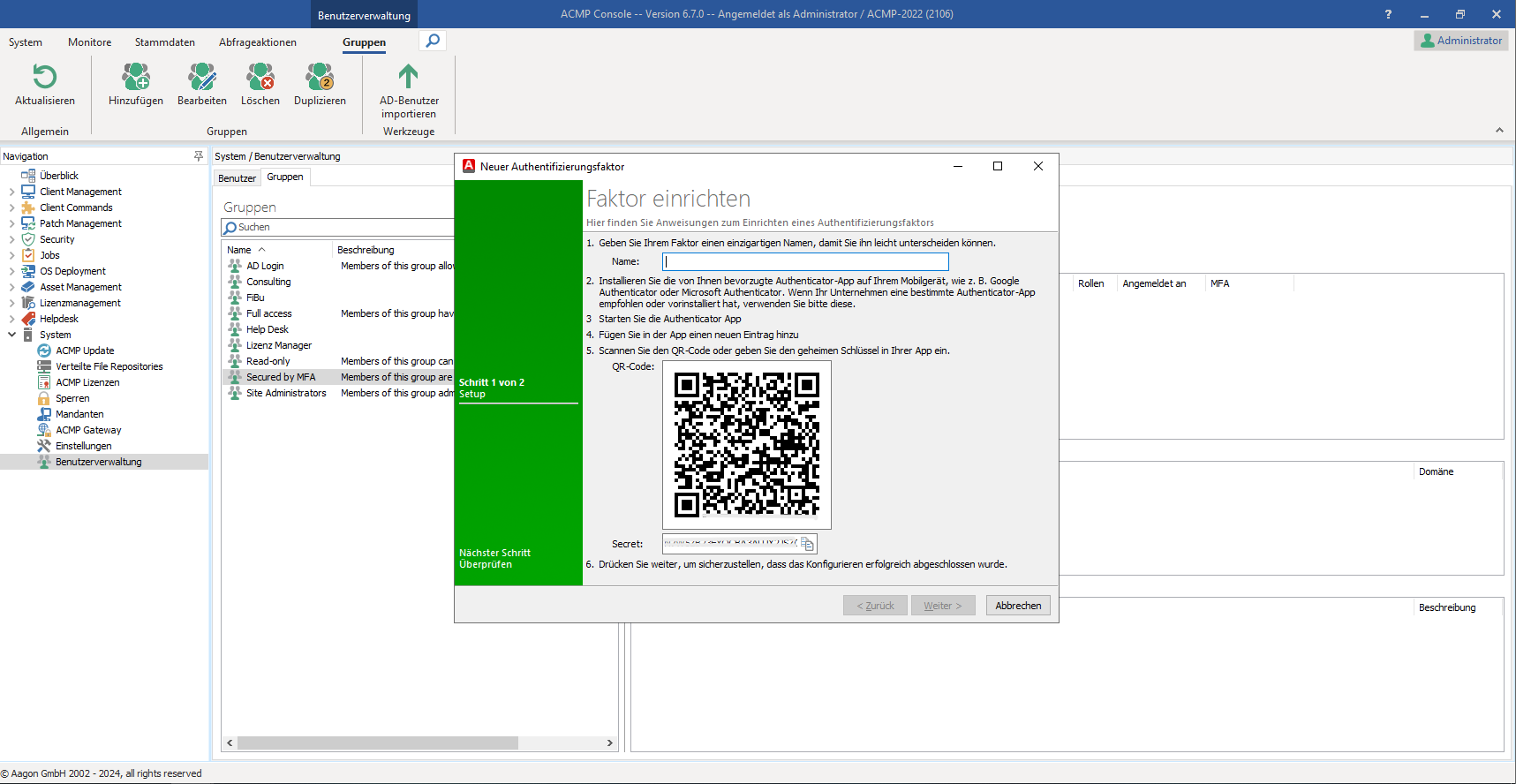
Security is right at the top of the agenda for the latest software version: one of the most important new features is therefore the Multifactor authentication - particularly important for von NIS-2 affected companies, but of course also of interest to all other users who need to ensure that only verifiably audited persons have access to the IT resources of the company network. A Time-based one-time password (TOTP) method, This enables the use of Microsoft and Google Authenticator, as well as other TOTP-compatible apps. Initial setup is done via a QR code. After connecting, a password is entered, the process prompts for a PIN from the authenticator app, and access to the ACMP console is only granted after this PIN has been entered.
Another important feature is the Login history, which can be used to define or check how long log-ins should be monitored and when a log-in took place. Based on the login history, the IT admin can define after how many logins a user is considered the main user of the device. This is relevant for the use of secondary usage rights for software. It is also possible to define on which device a person is the main user and on which device they are only a secondary user.
The aagon developers, who are in constant communication with acmp users, have also integrated important new features into the license management system. By connecting the Microsoft 365 license portal All licenses issued through this process can be imported into the acmp Suite. This makes all license data available on a single, unified interface for compliance checks. During import, in addition to products and licenses, missing contacts are also created as license users. Furthermore, the new acmp release allows for the simultaneous integration of multiple MS-365 license portals.
An Overview of Other Highlights of acmp 6.7
Extended helpdesk: There are two new functions in the helpdesk that are explicitly based on customer requests. User-defined fields can now be changed using the "Quick edit in a ticket query" function. In future, they can also be filled or changed automatically via helpdesk rules, for example when a ticket is created. Both of these features increase the efficiency of daily support work.
Container Export/Import: acmp 6.7 exports and imports complete container structures into a new environment upon request—this is particularly useful for users who frequently need to set up a new acmp server. You can design a basic structure—including names, icons, filters, the Advanced SQL Filter, user-defined fields, and priorities—export it, and then recreate it exactly as-is in the new environment. This saves a lot of manual work. Vulnerability filters are excluded from the export.
Updated ACL security authorizations: The ACL authorizations have been revised: Reports, queries and client commands could previously be restricted or edited in terms of their visibility, execution and editing. The first two authorizations (Visible and Execute) have been combined and are now only called "Visible", which includes both displaying and executing an object.
For more information on the latest version, acmp 6.7, which is available now, check out the Feature Tour.