
NETinfo

Your content is here. Edit or remove this text inline or in the module content settings. You can also style every aspect of this content in the module design settings and even apply custom CSS to this text in the module extension settings.
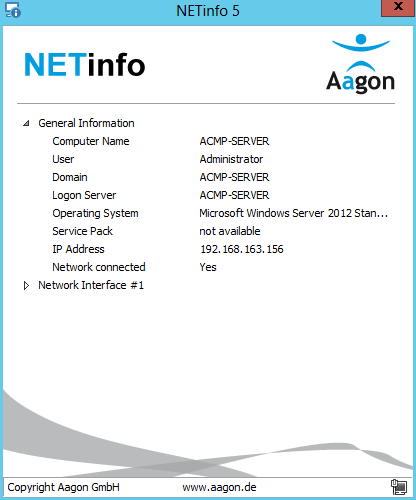
All information at a glance
If a user reports a problem with their computer to your helpdesk, they can now provide all the important data, such as the computer name, the logged-in user or the IP address and much more, at the touch of a button. To support this, we have integrated a context menu with which you can copy all the computer details to the clipboard and send them from there by e-mail, for example.
Simply saved locally without installation and placed as a link on the desktop, NETinfo is available to all users quickly and easily.
Your individual design in NETinfo
To adapt NETinfo to your corporate design, you can exchange the two graphics above the client information. Simply place the LOGO_LEFT.png (157 x 70) and LOGO_RIGHT.png (70 x 70) files in the directory extracted from the zip archive.
In addition to general information about the computer, NETinfo now also lists various details about the available network adapters.
What you can expect with NETinfo
- Description of the network adapter
- IPv4 and IPv6 addresses
- Standard gateways
- DNS server
- WINS server
- Subnet masks
- MAC addresses
and even apply custom CSS to this text in the module extension settings.