

aagon presents client management at the highest level
Soest, January 13, 2022 - The new version of the client management solution acmp 6.2 from the software company aagon offers a host of practical features that simplify the lives of IT administrators. From the extended Windows Update Management and the new gateway to the optimized Client Command Center - aagon fully incorporates the suggestions and wishes of its customers in all new features. The result is client management in a class of its own.
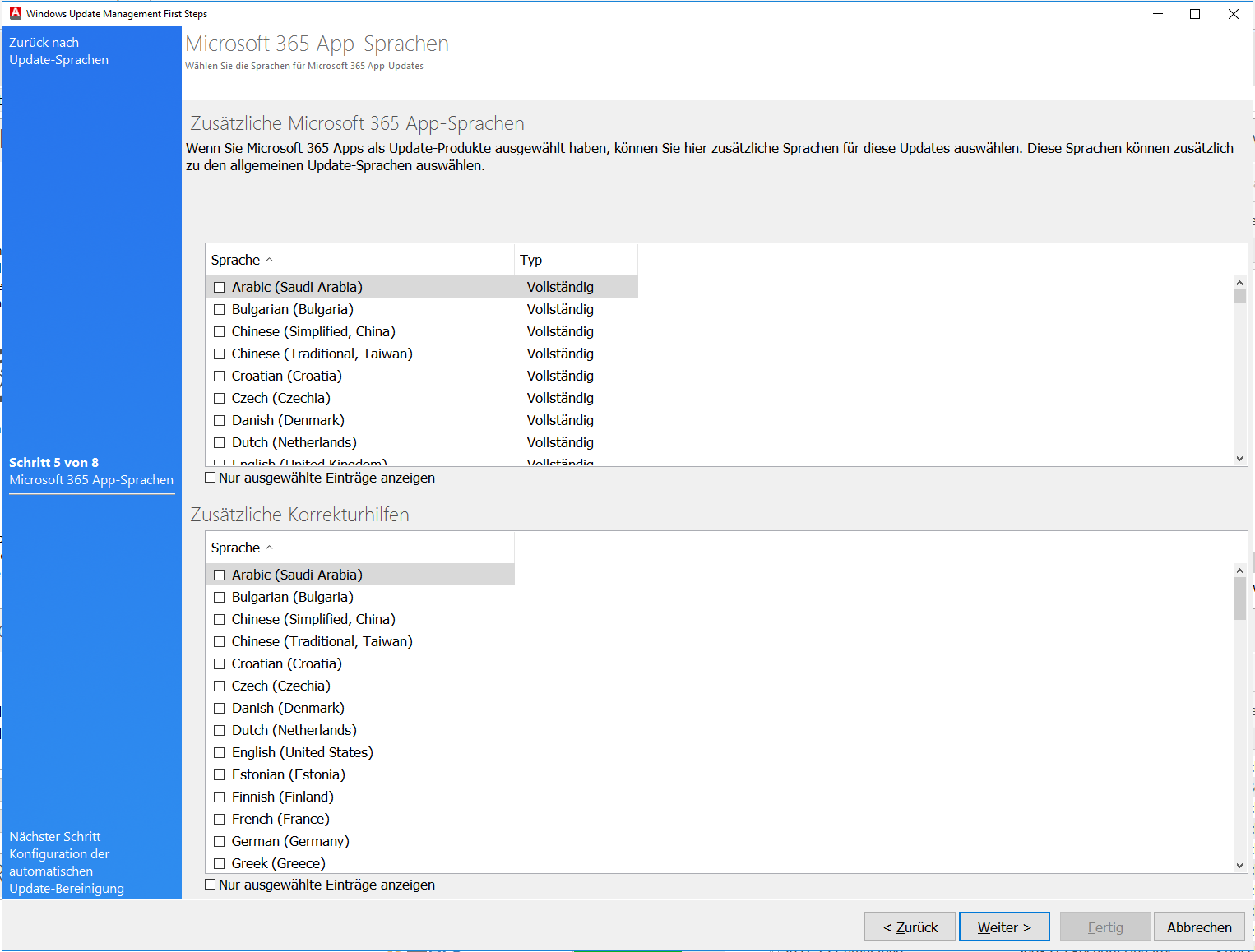
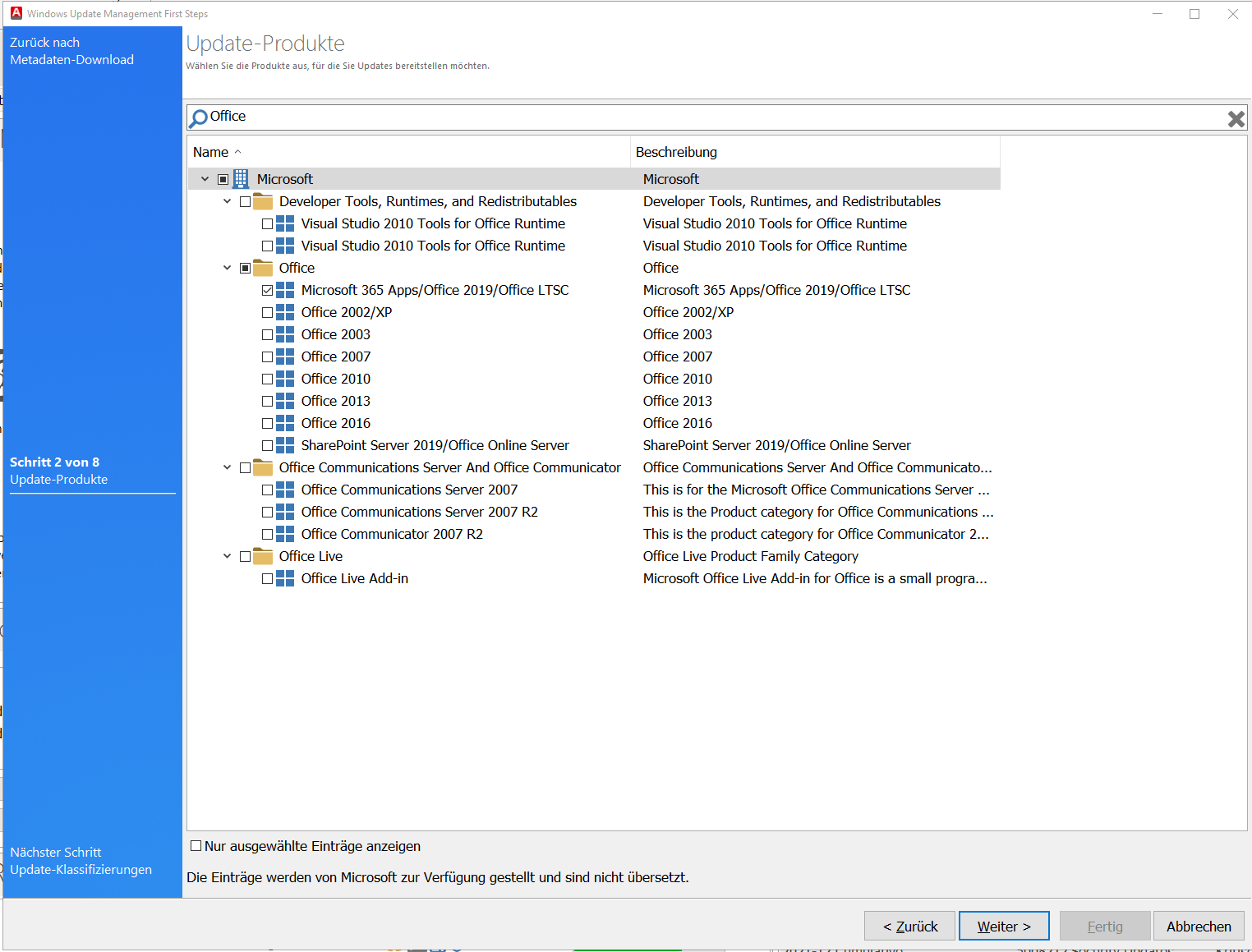
The optimal management of Windows updates is still one of the biggest challenges for IT managers. For this reason, the aagon developers are paying particular attention to this area: from now on, the Windows Update Management of acmp can also distribute updates for Microsoft 365, Office 2019 and 2021. One of the major advantages of this feature is that updates and drivers now take up significantly less storage space than before, as acmp normalizes the data. In this context, the First Steps Wizard, which can be used to set parameters such as the language version or intervals for cleaning up updates.
The second major innovation is the acmp Gateway. The gateway ensures a secure connection between the acmp agent and the acmp server and checks whether the agent (such as PC, laptop or server) is logging on with a valid certificate. This function ensures optimum security, for example when connecting home office clients to the acmp server. For example, the gateway can be used to quickly revoke the certificate of a laptop that has been lost or stolen. An unwanted Access to security-relevant data is therefore excluded.
acmp 6.2 has also been expanded to include a new solution - acmp Core. This tool combines the main components of the client management solution. These include: acmp Inventory, acmp Gateway, acmp Kiosk, the Report Engine and Contract and Document Management.
Other important innovations at a glance
- Client Command Center: Windows 11 and Server 2022 have been added to the compatibility list of Command building blocks. In addition, Client Commands can now be selected in the Client Command Center and the associated jobs displayed. Also new: Job Monitor and Managed Software Packages are opened directly in the corresponding filter.
- acmp Inventory: Status and general information of the TPM (Trusted Platform) module are now read out and are available as display fields and client details. This feature is particularly relevant when used with Windows 11.
- Managed software: A new client detail plugin clearly shows which software versions are installed and whether they are up-to-date and released.
- Containers: acmp now displays the progress of the recalculation of the containers and any errors in a status bar.
- Job Monitor: The monitor now displays all jobs and their execution status that belong to a specific element.
This feature tour provides further information on the current version, which is available immediately.