


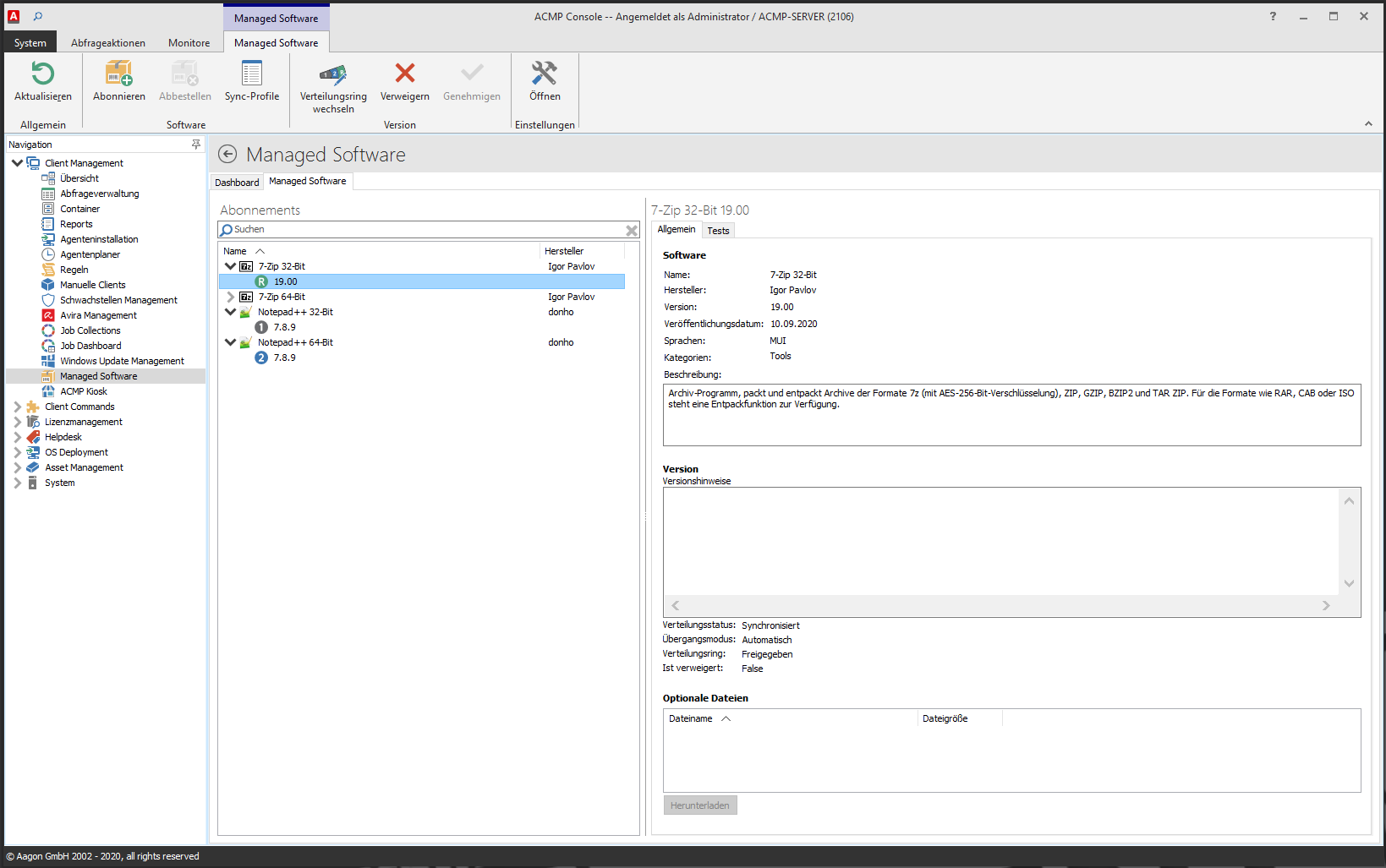
Also with the Installing updates, patches or new versions Solution Managed Software with its Various test and release rings valuable and time-saving help. Another feature that admins will appreciate: Managed Software (the previous version was called Package Cloud) is equipped with numerous pre-packaged software bundles of all major current standard software solutions (such as various browsers, runtimes, PDF readers or client software for video conferencing), which are designed for automatic distribution including prior individual customization.
Also new in acmp 6 are the tools Kiosk and Quick Launch: The Kiosk enables simple software management and allows users to start certain actions approved by the admin themselves - such as installing, deleting or updating selected applications. To make operation easier for the user, the applications can be displayed in a graphically appealing way - for example as icons. It is also possible to adapt the released software icons to the look of the respective company or to incorporate individual company logos. A German or English description can also be added.
Quick Launch, on the other hand, is a convenient search function that includes everything in the search - regardless of whether it is users, contacts, client commands, tools, component names, PCs or similar. Quick Launch also immediately shows where the search result is located within the IT system.
Further innovations at a glance:
About Inventory can now be used to read and analyze Windows Server features as well as the server roles and which functions are currently active. In addition, unknown devices are listed in the client details.
CAWUM has been extended by four widgets, and driver updates can also be loaded and patch updates can be selectively downloaded. This is helpful if certain patches for entire product groups are pending, but are too large and may not be required in full.
Also with the License management some practical new features have been added: These include the fact that the IT administrator can read out whether certain software licenses have been accessed and from which PC. This information can be stored in the license details. The IT administrator can also enter in the master data whether the license purchased for a specific department (e.g. marketing) is actually being used by that department or whether another department (e.g. sales) is accessing it instead. This information is extremely important for both license management and controlling.
acmp 6: Availability
acmp 6 is available immediately and supports Windows 10, Windows 8.1 and 8 / 7 as well as MacOS from High Sierra and all common Linux distributions with Python 3.6 or higher. The prices for the licenses are based on the number of workstations and are independent of the operating system platform. The suite is put together individually for the respective requirements; prices on request. The acmp server runs on Windows Server 2016 or higher.